Powered by Blogger.

Games

Showing posts with label ios 8. Show all posts

Android Vs iOS: Android Lollipop is More Stable Than iOS 8: Report

Saturday, 14 February 2015

android ios 8
There’s always something to like with each new iteration of an operating system, be it Android or iOS. However, bugs and crashes often spoil the fun and make one want to tear their hair out. Minor and major hiccups in each revised variant of Android have encouraged a plethora of complaints.
Of course, iOS fans haven’t missed the bandwagon, eager to mention how stable the iOS fares in comparison to Android. Interestingly, a report by Crittercism suggests that Android 5.0 Lollipop is more stable than iOS 8.
A mobile application performance management specialist has reported 0.2 percent lower crash rate on devices running Android compared to those running iOS 8. This reflects in the fact that Android 5.0 Lollipop registered a crash rate of 2 percent whereas iOS 8 recorded 2.2 percent.

Lollipop has a crash rate of 2% while iOS 8 has a crash rate of 2.2%

This may seem like a rather insignificant figure but if you consider the amount of Apple devices running the latest iOS 8, this amounts to a much greater number.
The report goes on to state that iOS 8 experiences a higher crash rate than what is witnessed on the iOS 7. The former records a crash rate of 2.2 percent while the latter is at a significant advantage with 1.9 percent.
Conversely, the latest Android 5.0 Lollipop has shown significant improvement in terms of stability over the older KitKat and Ice Cream Sandwich variants that have registered crash rates of 2.6 percent each.

Android Lollipop has shown significant improvements in stability and crash rates

Evidently, Android has strived to sort issues of instability with the new iteration whereas iOS users have had to put up with an increased rate of crashes with the latest iOS 8. This makes for quite an interesting observation factoring in the tighter control that Apple has over its rather ‘enclosed’ operating system.
Do note that the results may vary depending on the apps one uses to test this since crashes can be associated with issues exclusive to apps themselves or device-related problems like low memory.

iOS 8 Widgets:Here are 5 New Awesome iOS 8 Widgets You Need To Check Out On Your iPhone

Friday, 30 January 2015

While your iPhone, iPad or iPod touch won’t be offering any interface-changing home screen alternatives any time soon, the introduction of Notification Center / Today menu widgets with iOS 8 was a nice touch on Apple’s part. The whole platform feels much more functional as a result, and even though the update only arrived four months back, the App Store is already awash with awesome widgets. Having pointed out some great widgets for you to try out on numerous occasions before, we’re back with a handful more, so if you want to get the very most out of your iOS 8-ready device, you can find the round-up below.
iOS 8 widget main
TodayRemote (FREE / iPhone and iPad)
TodayRemote
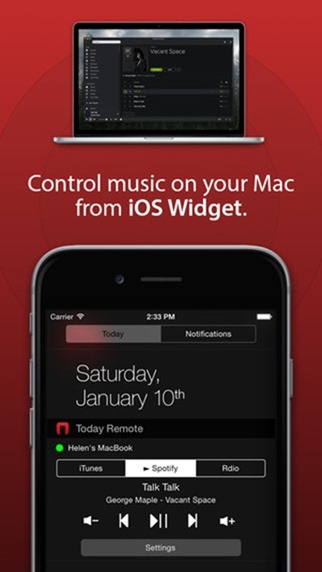
If you’re a music fan and Mac owner, then this great little NC widget will turn your iPhone or iPad into a remote control for music playback. And the widget supports a handful of apps, including iTunes, Spotify, Rdio, VOX and VLC.
The idea itself is nothing new – iOS and OS X are intertwined throughout – but the convenience of having control right from the Notification Center is a sure-fire winner.
Download it on iTunes here.
Music Center (FREE / iPhone and iPad)
Music Center
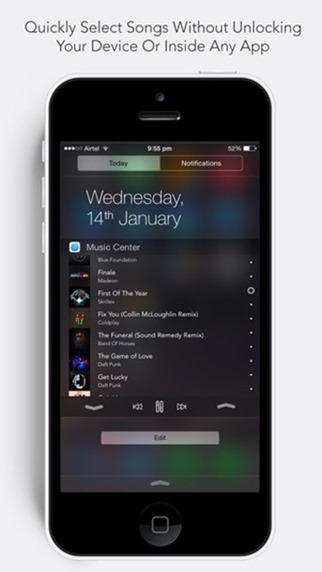
Another audio-related widget, Music Center lets you view your entire music library directly from the Notification Center. Whether you’re on the lock screen or in-app, you can readily browse, skip, play or pause your music with consummate ease, and given that it’s also free, is definitely worth a look.
Download it on iTunes here.
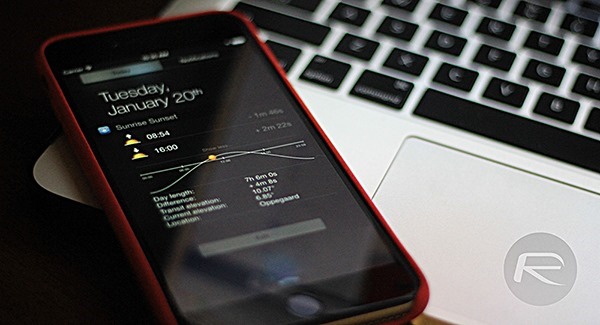
Sunrise Sunset Widget (FREE / iPhone and iPad)
Sunset Sunrise Widget
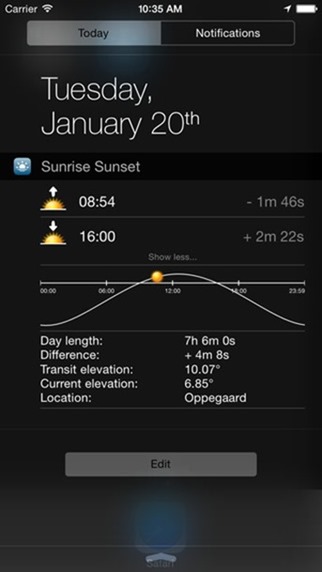
Since iOS 8, the App Store has been inundated with weather widgets, but Sunrise Sunset offers a welcome break from the norm. Instead of letting you know of the temperature, or when and if it will rain, this simple, elegant widget presents you with details of sunrise and sunset.
Download it on iTunes here.
Thermos ($1.99 / iPhone and iPad)
Thermos
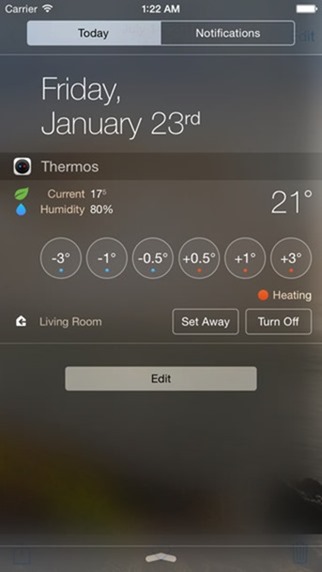
This widget integrates with Nest Thermostat to offer temperature details on a room-by-room basis. With controls for adjusting temp / humidity, it’s an all-in-one solution for Nest owners, and more than justifies its two-buck asking price.
Download it on iTunes here.
Free Speed Dial Widget (FREE / iPhone and iPad)
Free Speed Dial Widget
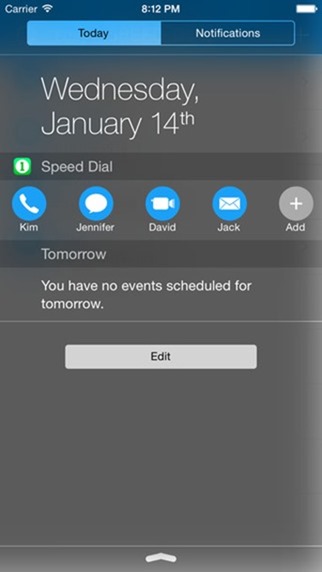
Our last entry does exactly as the name suggests, giving you quick access to those contacts that matter the most. It’s a fairly no-frills experience – the way it should be – and if you find opening the Phone / Contacts app to be a tedious, drawn-out process, be sure to snap this widget up.
Download it on iTunes here.
There are many more great widgets to be had, but that completes our top five for now. Do let us know how you get on with them, and we’ll be back soon with another round-up of great widgets and apps for your mobile devices!

This Free Widget Brings Animated Countdown Timer To iOS 8

Tuesday, 20 January 2015

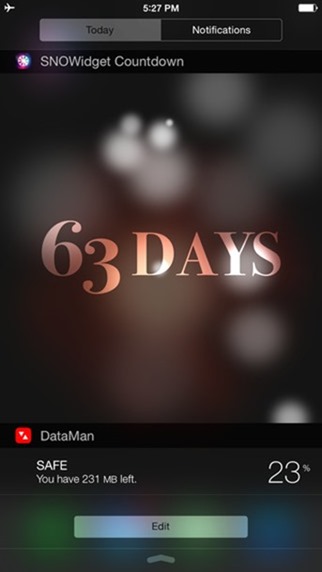
Have a date that you just can’t wait for? In fact, are you looking forward to it so much that you find yourself wondering just how many days you have to wait before the big day comes around? It might be a birthday, wedding day or just a big night out. Whatever the reason for all the excitement, SNOWidget has your back.
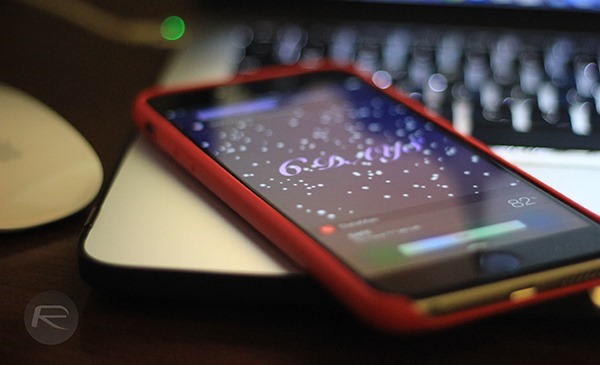
There are already plenty of countdown timers on iOS, and some of them even have widgets for Notification Center. What none of them do, other than SNOWidget, is put a countdown timer in front of falling snow.
SNOWidget main
If you imagine a clock in a snow globe, then you won’t be too far from what SNOWidget looks like when activated. Countdown timers are all well and good, but sometimes they need a little visual flair to keep things interesting. That’s what SNOWidget does.
2
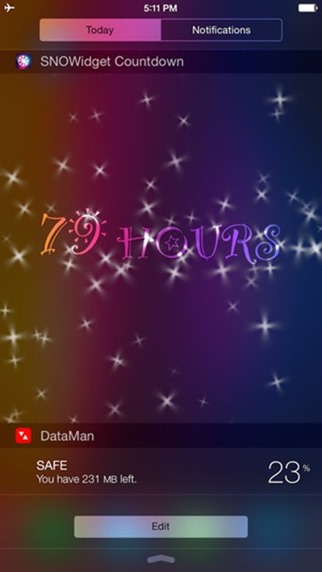
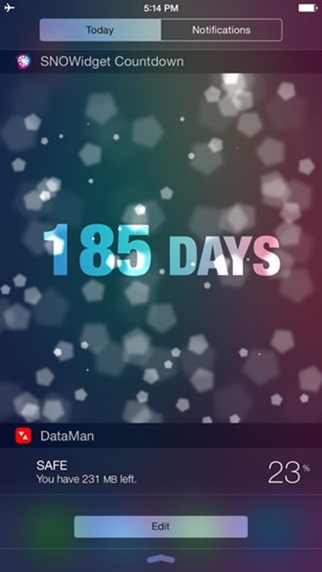
The widget doesn’t just do snow either, because users can choose from a handful of effects including bokeh and sparkles. There are six effects to choose from and some look very special indeed. We like how the size of the widget can be altered too, so anyone wanting a massive countdown need not be disappointed and those wanting something a little more discrete are golden too.
3
Beyond the actual effect shown in the background, countdowns can be customized in other ways too. There are over 70 fonts to choose from and countdowns can be shown in in days or hours depending on preference.
4
As far as countdown apps are concerned, we’re fans of SNOWidget just because it takes something that can be quite visually boring and makes it a little more exciting. The fact that it’s free doesn’t exactly work against it, either.
For your convenience, we’ve linked to the app below. Give it a whirl on your iPhone and let us know what you think in the comments section below.
(Download: SNOWidget for iPhone on the App Store)

How To Turn Any Webpage Into A iOS 8 Notification Center Widget

Saturday, 17 January 2015

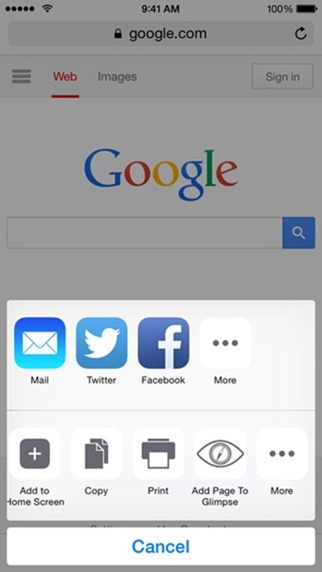
iOS 8 has brought a lot to the banquet as far as Apple’s mobile feature-set is concerned, and whilst it remains a million miles away from being an open-source platform, it has been slightly relaxed to include third-party keyboard and Notification Center widget support. Again, some may consider NC widgets to be half-baked compared with what’s possible on, say, Android, but having already seen some impressive efforts from creative developers, a new app lets you turn any piece of the Web into something vaguely representing your very own, all-singing widget. More details and download links can be found right here after the break.
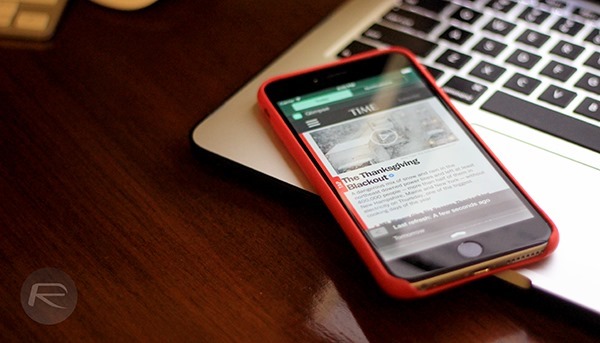
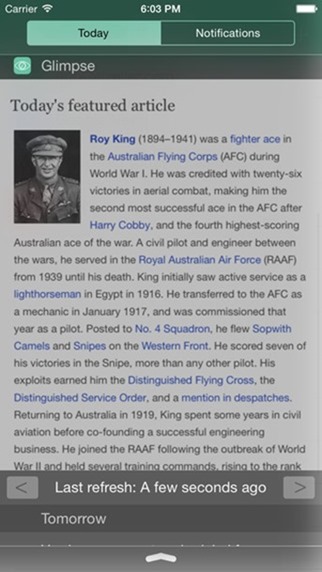
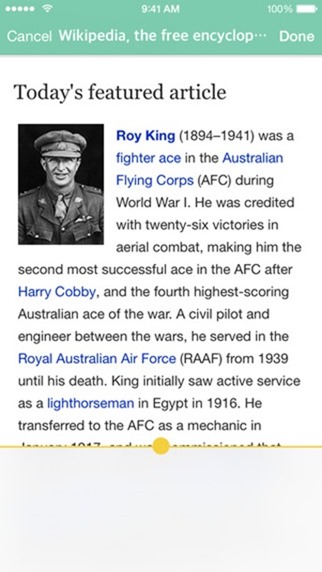
Glimpse is, in a roundabout way, like the Pocket app, in that you can cut-out-and-keep little segments and Webpages for later reference. It lets you create your very own show-reel in the Notification Center – arguably the most convenient setting for quick-reference content – and although we’ve already seen a bunch of cool NC widgets during the past few months, Glimpse is already among our favorites.
Glimpse main
Once you’ve added a page to the widget, it’ll refresh automatically, keeping you updated with the latest goings on, although if you’ve concerns about data usage, you can make adjustments within the app’s settings. So if, for example, you don’t wish to use up your data allowance refreshing saved pages in Glimpse, then you can instead configure the app to only update widgets over Wi-Fi.
1
Glimpse will set you back just $2.99, but if you’re constantly trawling the Web and looking for interesting / important content, then it’ll come in incredibly handy through every browsing session.
2
Having had a quick look at the app, we’d recommend it for both iPhone and iPad, although the iPad is blessed with the display real estate to fully do Glimpse justice. Either way, it looks good, functions superbly, and already, I can see it joining my pool of daily-running apps.
3
Download it, give it a whirl on your iPhone or iPad, and as ever, do leave your thoughts and comments with us below – it’s always great to hear from you!
(Download: Glimpse for iOS on the App Store)

Speed Intensifier For iOS 8 Released, Speeds Up Animations System-Wide On iPhone

Friday, 16 January 2015

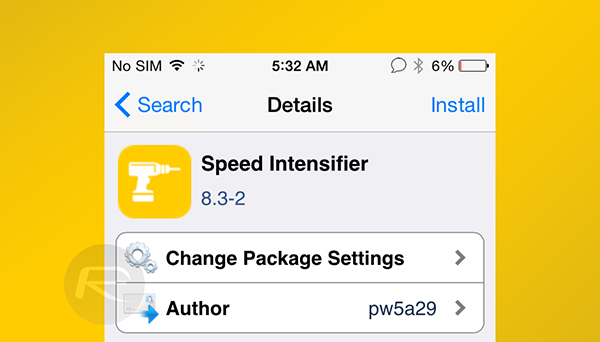
As mobile device owners, there are many ways we can go about speeding up general functionality to maintain optimum performance at all times. We can, for example, ensure that software is up to date, storage isn’t overloaded with unwanted clutter, and by the same token, make certain that anything we have installed is legitimate and won’t slow us down. If you’re running a jailbroken on iOS, there’s a neat little tweak that shortens transition times, speeding up animations and making your beloved iPhone, iPad or iPod touch feel that little bit nippier.
Speed Intensifier has been knocking around in Cydia since the earlier days of jailbreaking, and much to the credit of its developer, has seen continued updates and improvements over time. With iOS 8 now running the show, Speed Intensifier is ready to rock on all versions jailbreakable via TaiG and Pangu, and so long as you can make your way over to the ModMyi repository, you’ll soon be up and running at light speed.
Speed iOS 8
iOS has long been a transition-heavy operating system, and with the introduction of parallax and other such animations & effects with iOS 7, it’s even more fanciful than it has ever been. If you prefer things to function quickly and are therefore quite happy to do away with the added, unnecessary finesse, then Speed Intensifier was built with you in mind, so if you haven’t already, check the links at the foot of this article for details on how to jailbreak the easy way.
IMG_0904
As aforementioned, you can grab Speed Intensifier from the ModMyi repository, and thankfully, it’s completely free of charge. Don’t get me wrong – de-cluttering your device is a great habit to get into if you want it to perform at its peak – but for a little turbo boost to animations, this little tweak packs quite the punch.
For tutorials on how to jailbreak and install Cydia:

Make iOS 8 Automatically Change Your Device’s Wallpaper, Here’s How

Thursday, 15 January 2015

Want to automatically change the wallpaper on your iPhone or iPad after set intervals or particular actions? An old age question really, and with plenty of answers, but if you’re running iOS 8, then read on after the break for details on how you can get that feature on your iOS device.
In order to achieve the above mentioned feat, you will need the services of the Wallmart jailbreak tweak.
iPhone 6
Wallmart is a no nonsense offering which is designed with a very simple purpose in mind; that is to automatically shuffle through your wallpapers after a set period of time, or after some defined action. To be precise, not only will it change your wallpaper after set intervals, but can be configured to swap a wallpaper every time you lock your device. Even better, the tweak supports Activator gestures as well, so any gesture defined via that nifty tweak can be used to quickly change your device’s wallpaper.
1
Wallmart can be set to change your wallpapers in order, or shuffle through them, mixing it up a bit every time. Often a slightly blurred effect to the wallpaper really makes the entire home screen or lock screen on the iPhone or iPad stand out, and Wallmart lets you achieve just that with the blur option found in the tweak’s settings page. Oh and the much hyped about perspective zoom can be enabled as well, or disabled, if you’d rather not go all 3D on your background.
2
Wallmart however is not the only solution to your automatic wallpaper changing needs, and as the tweak itself says on its page, "Wallmart is like WallCycler for iOS 8" with Wallmart being applicable to iOS 8 unlike the latter, which is iOS 7 compatible only.

iOS 8.1.3 Update Reportedly Set For Release Next Week By Ben Reid | January 10th, 2015

Friday, 9 January 2015


The iOS updates have been particularly frequent over the past few months, and whilst it’s long since been known that iOS 8.2 will arrive sometime soon with Apple Watch support and several other alterations, there has also remained a feeling that we’d see another minor update prior to its arrival. Now, a new report has all-but confirmed this to be the case, and whilst we’re not expecting any drastic changes, Apple will probably throw in a few bug fixes and general performance enhancements.
 

Most Reading

Sidebar One